
This product was successfully added to cart!
Factory Price Motion Capture From Video - Virdyn mHand Studio Motion Capture Gloves Software System for mHand Pro – Virdyn
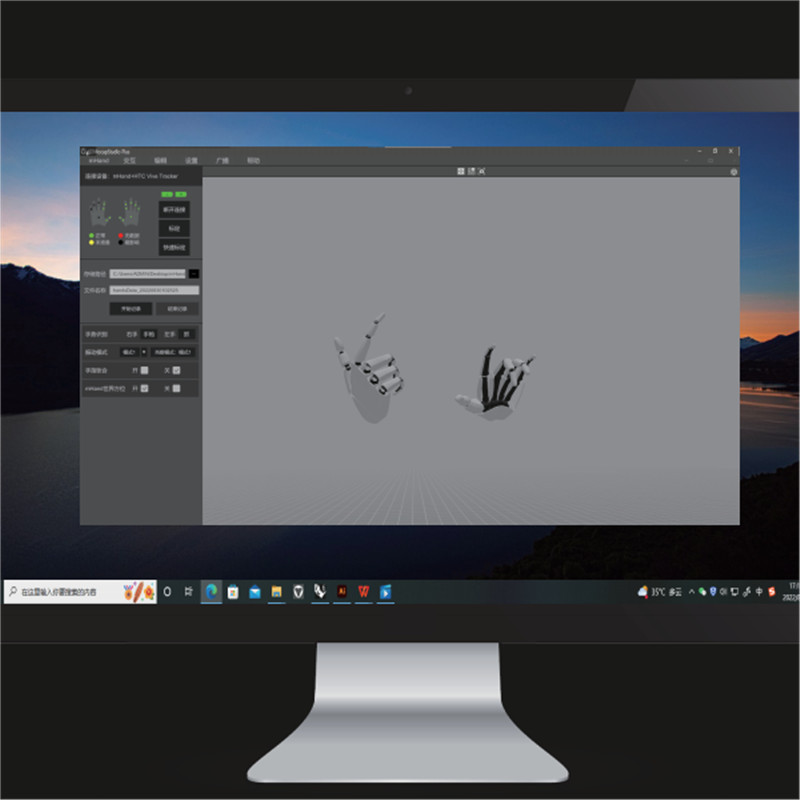
Factory Price Motion Capture From Video - Virdyn mHand Studio Motion Capture Gloves Software System for mHand Pro – Virdyn Detail:
Features
● Gesture recognition: Built-in fully self-developed gesture recognition model, supports 15+ gesture types, covering common interactive gestures such as grabbing, clicking, OK, fisting, etc., and easily supports various VR interactive content
● Spatial positioning: Supporting SDK, support HTC Vive Tracker, Oculus Quest 2 controller and other optical trackers for hand position tracking
● Immersive interaction: Multiple built-in virtual interaction cases, combined with gesture recognition and vibration feedback, provide developers with more efficient and realistic virtual interaction solutions
● Cross-platform: Supporting SDK, compatible with Windows and Android systems
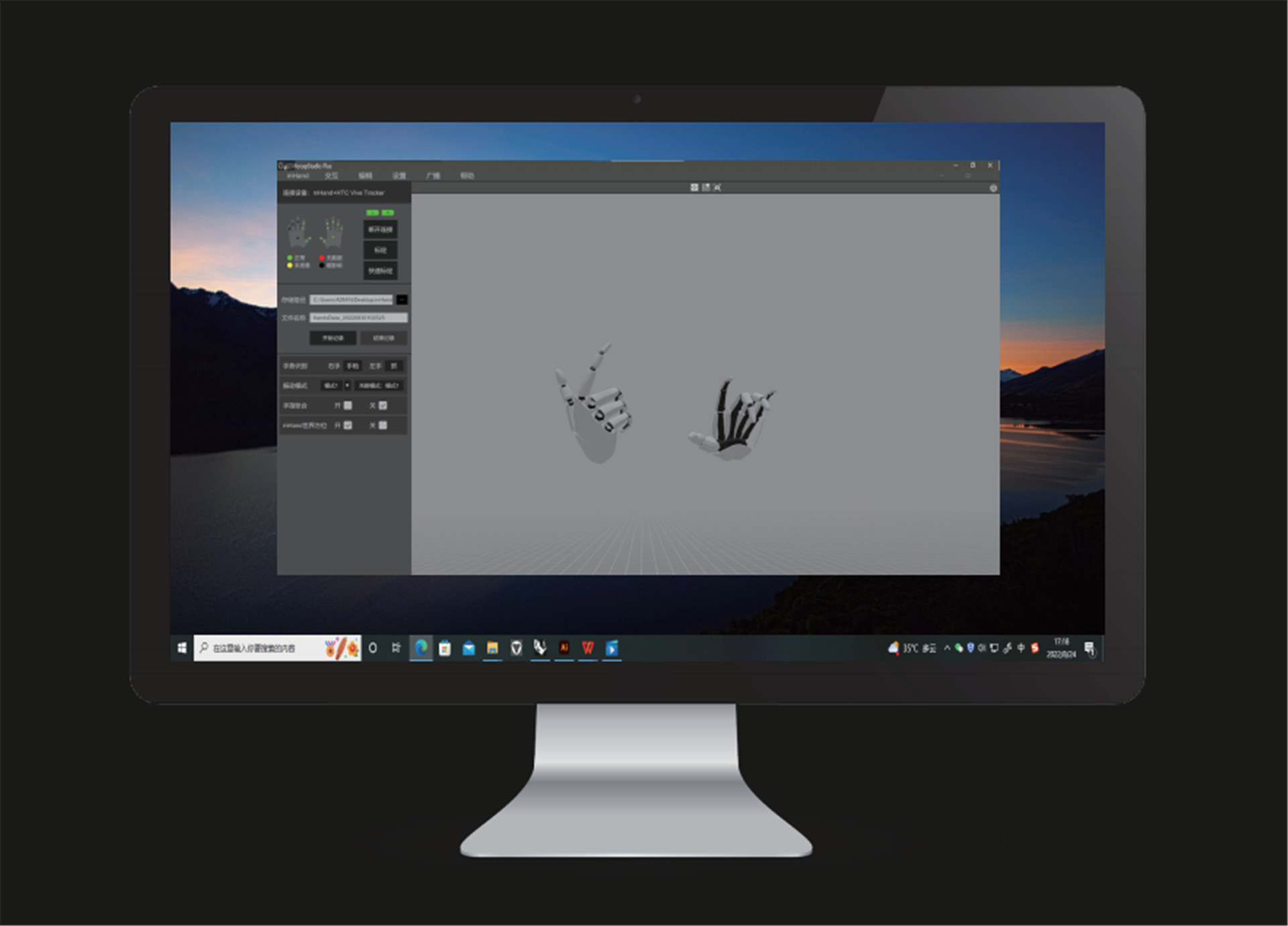
Software Description
Camera reset
● Click the icon and the camera will reset to its relative location to the model. (Relative location: The default relative distance between the camera and the model)
Window switch
● Click the icon to switch to one angle window and the icon for four angles windows.
Motion capture calibration
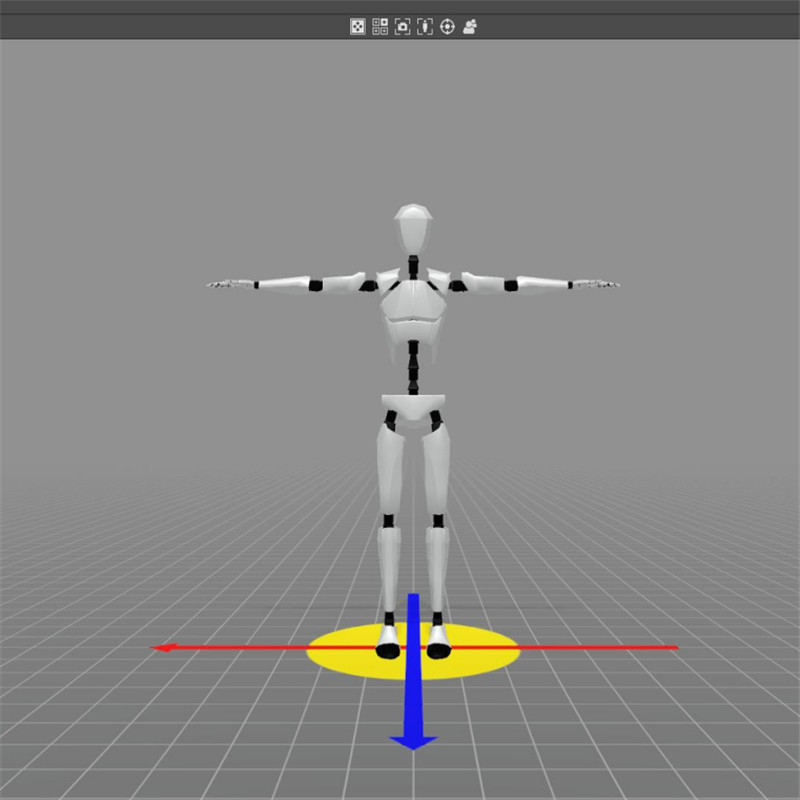
● You must calibrate the unit before use. Tick both poses. During calibration, please follow the prompts and requirements.
Quick calibration
● Before quick calibration is enabled, there are no calibration prompts. The model needs to stand in the calibration pose and the controller should click the “Quick Calibration” button.
Data recording
● Set the storage path and file name and click the “Start Recording” button to begin recording motion data. After the capture and recording of motion data, click “Stop Recording” button to save the data file.
Hand gesture recognition
● After calibration, the computer will automatically recognize the motions captured by the device.
Camera mode
● Click the “3D” button to switch to a 3D window and click the “VR” button for a VR window. (VR glasses are required)
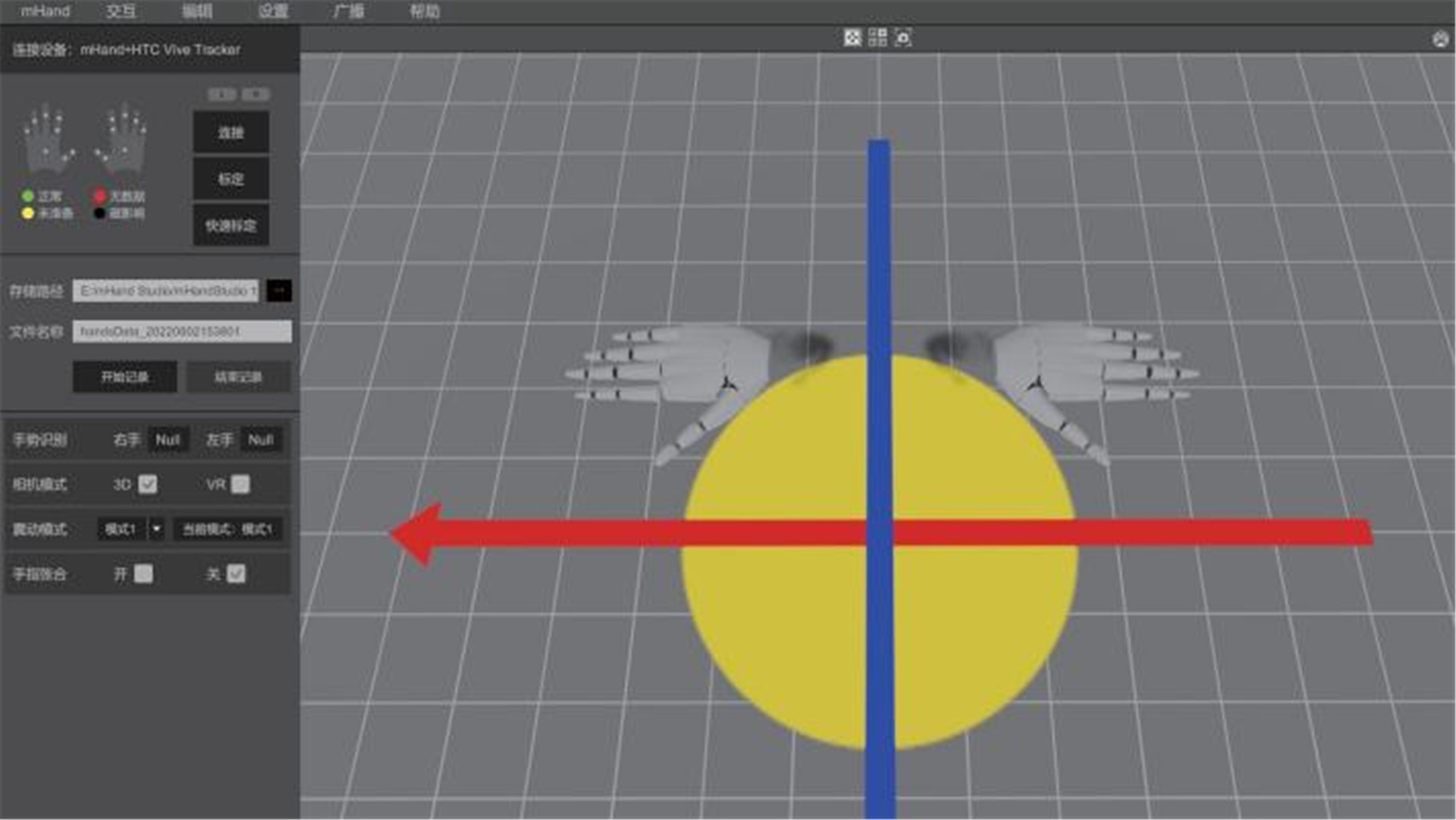
Vibration mode
● Click the “Mode” button to change to different vibration modes. (“Mode 1” is no vibration)
Fingers clenched and unclenched
● During motion capture, you can choose to enable fingers clenched or unclenched. (horizontal)
Hardware setting
● Click the “Settings” button and then click the “Hardware Setting” button to adjust hardware parameters and performance recovery.
System setting
● Click the “Setting” button and then click the “System Setting” button to adjust software parameters.
Data broadcasting
● Click the “Broadcasting” button and set IP and port to transmit data over the data protocol.
Product detail pictures:
Related Product Guide:
Attaining consumer satisfaction is our firm's purpose for good. We'll make wonderful efforts to produce new and high quality merchandise, meet up with your special necessities and supply you with pre-sale, on-sale and after-sale products and services for Factory Price Motion Capture From Video - Virdyn mHand Studio Motion Capture Gloves Software System for mHand Pro – Virdyn , The product will supply to all over the world, such as: Johor , Doha , Lithuania , As a way to make use of the resource on the expanding information and facts in international trade, we welcome prospects from everywhere on the web and offline. In spite in the high quality products and solutions we supply, effective and satisfying consultation service is supplied by our professional after-sale service group. Solution lists and thorough parameters and any other info weil be sent for you timely for the inquiries. So make sure you get in touch with us by sending us emails or contact us if you have any concerns about our firm. ou can also get our address info from our web site and come to our enterprise. or a field survey of our solutions. We're confident that we have been going to share mutual results and build solid co-operation relations with our companions in this market. We're looking forward to your inquiries.
 By Bruno Cabrera
from Angola
- 2017.11.20 15:58
By Bruno Cabrera
from Angola
- 2017.11.20 15:58
The accounts manager made a detailed introduction about the product, so that we have a comprehensive understanding of the product, and ultimately we decided to cooperate.
By Erin
from Bahamas
- 2018.12.11 11:26
Products categories
-
Fixed Competitive Price Creating Vtuber Avatar ...
-
Discount Price Home Motion Capture - Virdyn VD...
-
Competitive Price for Motion Capture Games - V...
-
Leading Manufacturer for Face Capture - Virdyn...
-

Fast delivery Virtual Reality Live Stream - Mo...
-
Chinese wholesale Vtuber Stream Layout - Virdy...
