
This product was successfully added to cart!
18 Years Factory Create A 3d Character - Virdyn mHand Studio Motion Capture Gloves Software System for mHand Pro – Virdyn
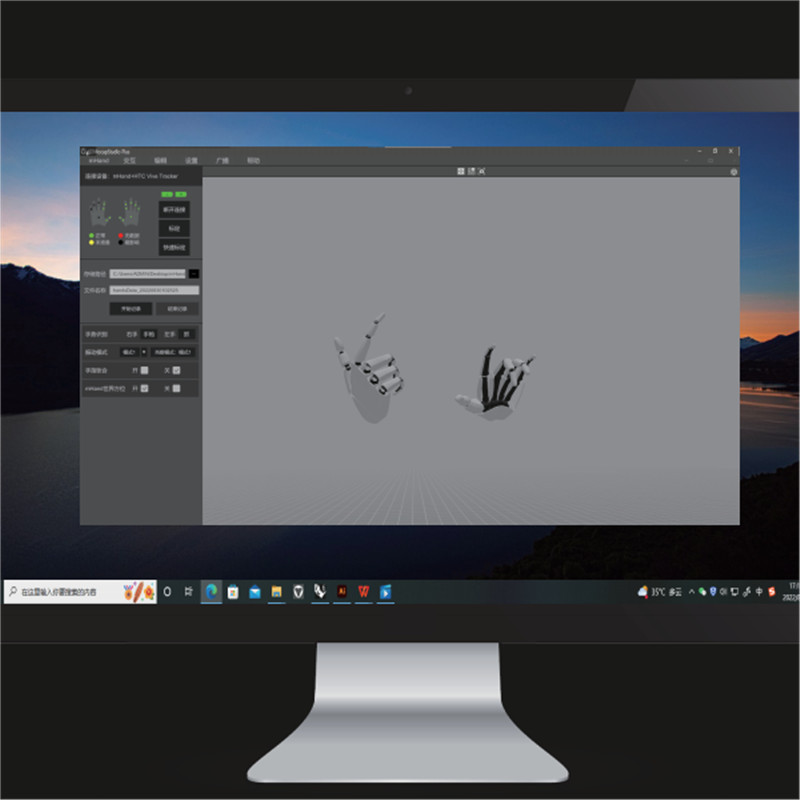
18 Years Factory Create A 3d Character - Virdyn mHand Studio Motion Capture Gloves Software System for mHand Pro – Virdyn Detail:
Features
● Gesture recognition: Built-in fully self-developed gesture recognition model, supports 15+ gesture types, covering common interactive gestures such as grabbing, clicking, OK, fisting, etc., and easily supports various VR interactive content
● Spatial positioning: Supporting SDK, support HTC Vive Tracker, Oculus Quest 2 controller and other optical trackers for hand position tracking
● Immersive interaction: Multiple built-in virtual interaction cases, combined with gesture recognition and vibration feedback, provide developers with more efficient and realistic virtual interaction solutions
● Cross-platform: Supporting SDK, compatible with Windows and Android systems
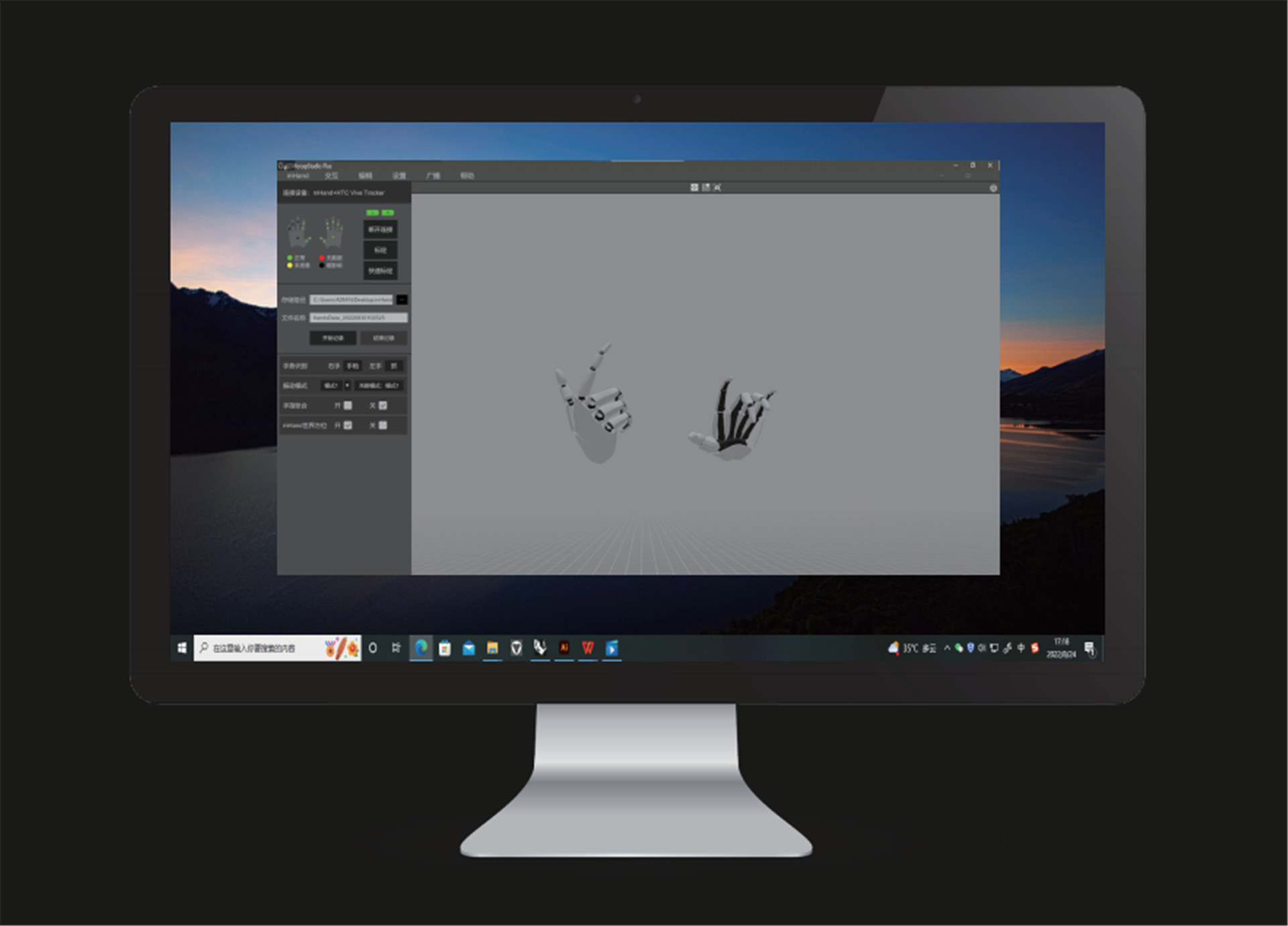
Software Description
Camera reset
● Click the icon and the camera will reset to its relative location to the model. (Relative location: The default relative distance between the camera and the model)
Window switch
● Click the icon to switch to one angle window and the icon for four angles windows.
Motion capture calibration
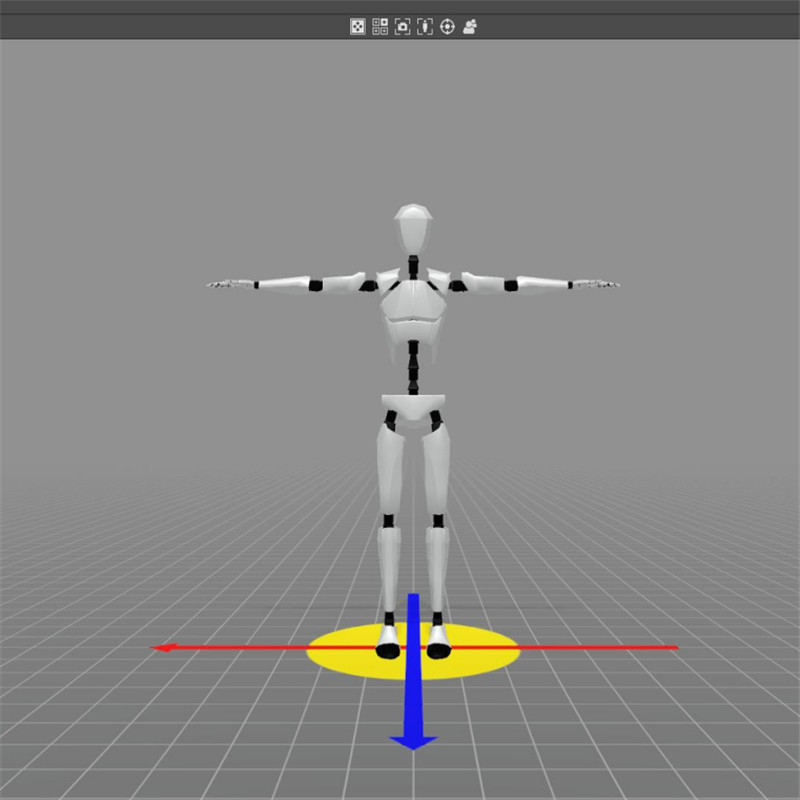
● You must calibrate the unit before use. Tick both poses. During calibration, please follow the prompts and requirements.
Quick calibration
● Before quick calibration is enabled, there are no calibration prompts. The model needs to stand in the calibration pose and the controller should click the “Quick Calibration” button.
Data recording
● Set the storage path and file name and click the “Start Recording” button to begin recording motion data. After the capture and recording of motion data, click “Stop Recording” button to save the data file.
Hand gesture recognition
● After calibration, the computer will automatically recognize the motions captured by the device.
Camera mode
● Click the “3D” button to switch to a 3D window and click the “VR” button for a VR window. (VR glasses are required)
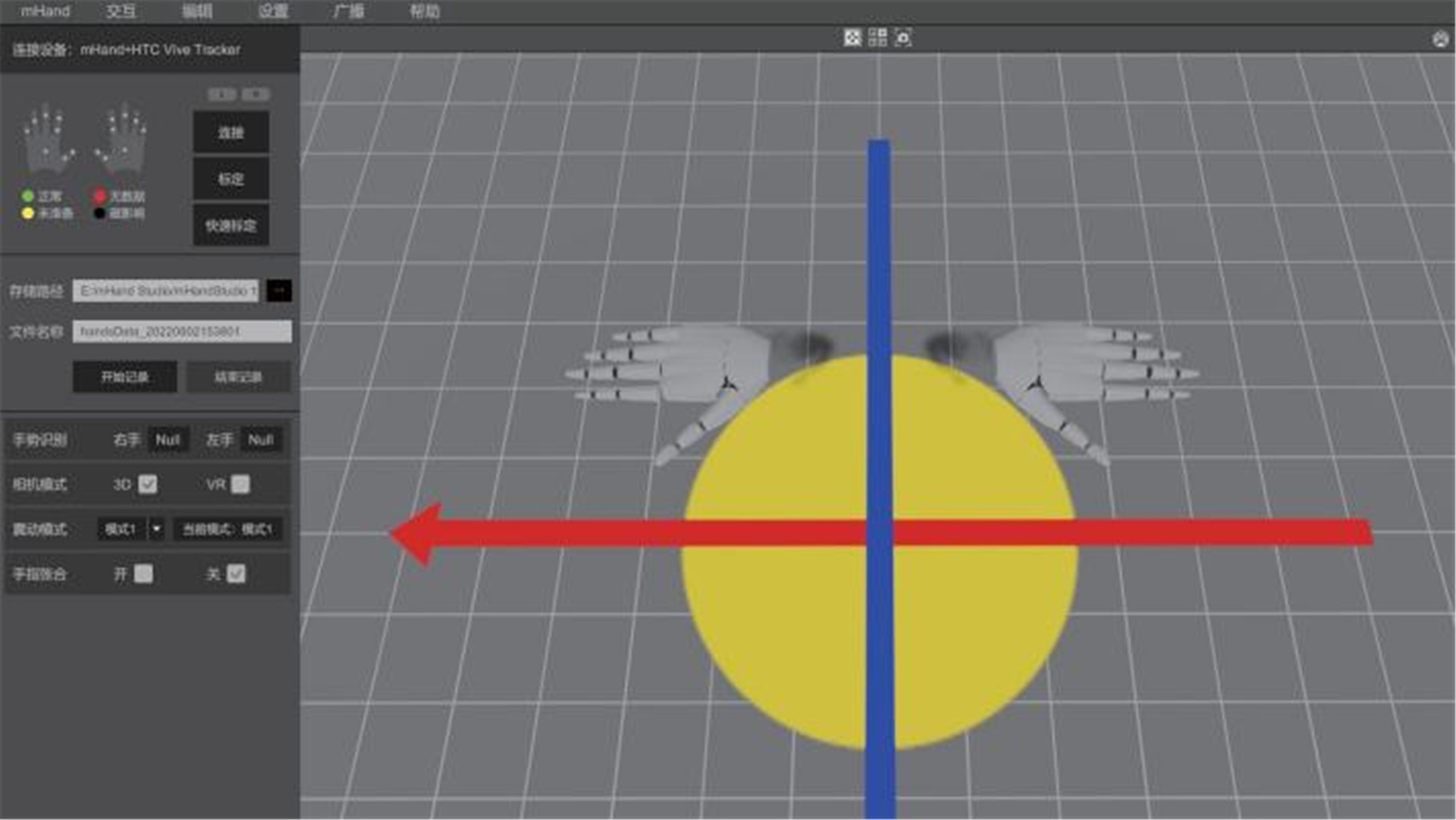
Vibration mode
● Click the “Mode” button to change to different vibration modes. (“Mode 1” is no vibration)
Fingers clenched and unclenched
● During motion capture, you can choose to enable fingers clenched or unclenched. (horizontal)
Hardware setting
● Click the “Settings” button and then click the “Hardware Setting” button to adjust hardware parameters and performance recovery.
System setting
● Click the “Setting” button and then click the “System Setting” button to adjust software parameters.
Data broadcasting
● Click the “Broadcasting” button and set IP and port to transmit data over the data protocol.
Product detail pictures:
Related Product Guide:
As for aggressive costs, we believe that you will be searching far and wide for anything that can beat us. We can state with absolute certainty that for such high-quality at such rates we have been the lowest around for 18 Years Factory Create A 3d Character - Virdyn mHand Studio Motion Capture Gloves Software System for mHand Pro – Virdyn , The product will supply to all over the world, such as: America , Turin , New Zealand , Today, We are with great passion and sincerity to further fulfill our global customers' needs with good quality and design innovation. We fully welcome customers from all over the world to establish stable and mutually beneficial business relationships, to have a bright future together.
 By John
from Albania
- 2018.09.21 11:01
By John
from Albania
- 2018.09.21 11:01
As an international trading company, we have numerous partners, but about your company, I just want to say, you are really good, wide range, good quality, reasonable prices, warm and thoughtful service, advanced technology and equipment and workers have professional training, feedback and product update is timely, in short, this is a very pleasant cooperation, and we look forward to the next cooperation!
By June
from Turkey
- 2018.06.26 19:27
Products categories
-
PriceList for Vtuber Maker Mobile - Virdyn Mot...
-

Cheapest Factory Smartsuit - Virdyn Motion Cap...
-

Factory Cheap Hot Motion Capture Animation - V...
-
China Manufacturer for Human Digital Marketing ...
-
Factory Supply Motion Tracking Webcam For Vtube...
-
Manufactur standard Animation Studios Accepting...
